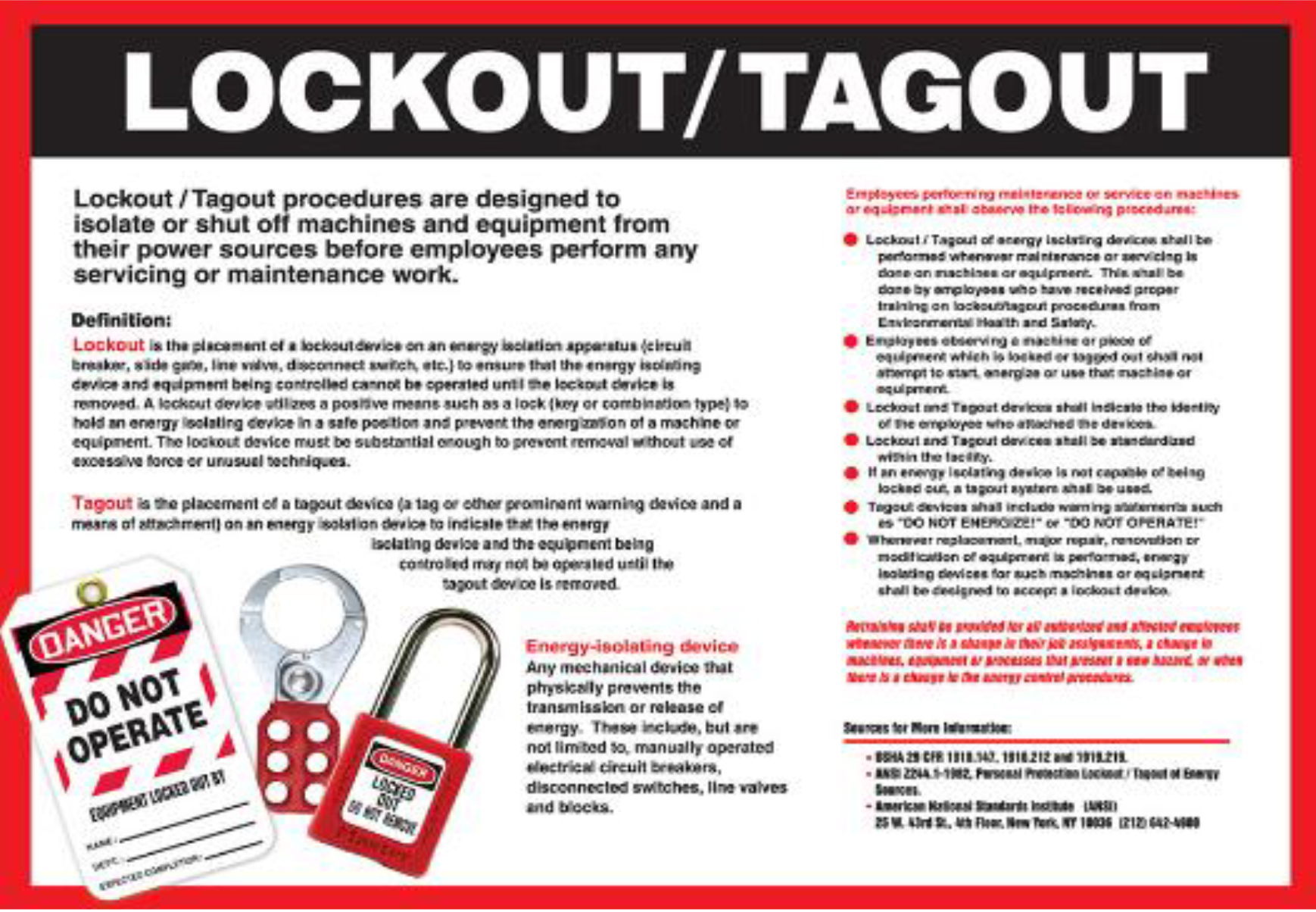
Every year, hundreds of workers suffer serious injuries—or worse—during equipment servicing because energy sources weren’t properly controlled. The root cause? Missing, incomplete, or poorly implemented lockout tagout (LOTO) programs. A well-documented lockout tagout program PDF isn’t just a file sitting in a drawer—it’s a living safety protocol that prevents accidental startup, protects lives, and keeps your business compliant with OSHA standards.
If you’re searching for a lockout tagout program PDF, you’re likely responsible for workplace safety—whether you’re an EHS manager, operations lead, or small business owner. Your goal isn’t just to check a compliance box. It’s to create a system that’s practical, enforceable, and understood by every employee who interacts with machinery.
This guide delivers exactly that: a breakdown of what should be in your LOTO program PDF, how to customize it, and where to get a usable, downloadable template.
Why a Lockout Tagout Program PDF Matters
A lockout tagout program PDF serves as the central document for your energy control procedures. Unlike verbal instructions or scattered notes, a well-structured PDF ensures consistency, accessibility, and audit readiness.
Real-World Impact In one documented case, a maintenance technician at a Midwest packaging plant was clearing a jam in a conveyor system. The machine wasn’t properly locked out. A coworker, unaware of the maintenance, restarted the line—resulting in a crushed hand and a six-figure OSHA fine. The investigation revealed no formal LOTO program existed. A single, accessible lockout tagout program PDF could have prevented it.
What OSHA Requires OSHA standard 29 CFR 1910.147 mandates that all facilities using hazardous energy sources must have a written energy control program. This includes:
- Specific procedures for shutting down, isolating, blocking, and securing machines
- Clear identification of who performs lockout (authorized employees)
- Training for both authorized and affected employees
- Periodic inspections (at least annually)
A lockout tagout program PDF satisfies the "written program" requirement and serves as proof during inspections.
Core Components of a LOTO Program PDF
Your lockout tagout program PDF isn’t a one-size-fits-all template you download and file away. It must reflect your equipment, processes, and workforce. Here are the essential sections it must include:
1. Program Scope and Purpose Define what the LOTO program covers. Is it for all machines? Only those with mechanical, electrical, or hydraulic energy? Clarify the purpose: to prevent unexpected energization during servicing.
Example: > This lockout/tagout program applies to all equipment in the production facility that requires servicing or maintenance where unexpected startup could cause injury.
2. Roles and Responsibilities Not everyone locks out equipment. OSHA distinguishes between:

- Authorized employees – those who physically lock out machines and perform servicing
- Affected employees – operators who use the equipment but don’t maintain it
Your PDF must clearly define who falls into each category and their duties.
Common Mistake: Assuming all employees are authorized. Only trained and certified staff should apply locks and tags.
3. Energy Source Inventory List every machine and its associated energy types (electrical, pneumatic, hydraulic, chemical, thermal, etc.). This helps in creating machine-specific procedures.
Tip: Use a table in your PDF:
| Machine | Energy Sources | Lockout Devices Required |
|---|---|---|
| Conveyor System | Electrical, Mechanical | Circuit breaker lock, hasp, tag |
| Hydraulic Press | Hydraulic, Electrical | Valve lockout, circuit lock |
4. Lockout Procedure Templates Include standardized LOTO steps. These should be simple, visual, and repeatable.
- Basic LOTO Procedure Flow:
- Notify affected employees
- Shut down the machine using normal controls
- Isolate all energy sources (flip breakers, close valves)
- Apply lockout devices (locks) and tags
- Release stored energy (bleed lines, block moving parts)
- Verify isolation (try to start machine—safely)
Save this as a reusable template in your PDF.
5. Tag Requirements Tags must include:
- Name of authorized employee
- Date and time of lockout
- Reason for lockout
OSHA allows tags only if they provide a level of safety equivalent to locks. Most facilities use both.
6. Training and Retraining Records Your PDF should outline initial and annual retraining. Include sign-off sheets for documentation.
Pro Tip: Attach a QR code in your PDF that links to training videos or digital sign-in forms.
7. Periodic Inspection Protocol Detail how audits are conducted. Who inspects? How often? What’s reviewed?
Include a checklist: - [ ] Are locks applied before servicing? - [ ] Are tags filled out completely? - [ ] Does the procedure match actual practice?
How to Customize Your LOTO Program PDF
A generic template isn’t enough. Customization makes the program usable.
Step 1: Map Your Equipment Walk through your facility. For each machine:
- Identify energy sources
- Note isolation points (valves, breakers)
- Determine lockout device type (breaker lock, valve lockout, hasp)
Step 2: Write Machine-Specific Procedures Use your master LOTO template but add machine-specific details.
- Example – CNC Machine Procedure:
- Turn off control switch
- Open main electrical disconnect (NEMA box, 480V)
- Apply lockout hasp and personal lock
- Engage emergency stop and verify no pressure in hydraulic lines
- Attempt restart via control panel—no movement should occur
Include photos or diagrams in the PDF for clarity.
Step 3: Integrate
with Other Safety Systems Link your LOTO program with:
- Permit-to-work systems
- Confined space entry
- Hot work permits
This prevents overlapping hazards.
Where to Get a Lockout Tagout Program PDF Template

You don’t need to start from scratch. Several sources offer downloadable, customizable LOTO program PDFs. Here are five reliable options:
| Tool | Type | Key Features | Best For |
|---|---|---|---|
| OSHA Official LOTO Guide | Free PDF | Compliance checklist, sample procedures | Beginners, auditors |
| Creative Safety Supply Template | Editable PDF/Word | Visuals, machine-specific forms | Small to mid-size plants |
| SafetyCulture (iAuditor) | Digital + PDF export | Mobile inspections, real-time audits | Tech-forward teams |
| Grainger LOTO Kit | Physical + Digital | Lockout devices + program guide | Hands-on facilities |
| Enablon (by Sphera) | Enterprise EHS Platform | Automated workflows, reporting | Large organizations |
Recommendation: For most users, the Creative Safety Supply or OSHA templates are the best starting point. They’re free, comprehensive, and easy to edit.
Common Mistakes in LOTO Program PDFs
Even with a solid template, many programs fail in practice. Watch for these pitfalls:
1. Vague Procedures “Lock out the machine” isn’t enough. Specify which disconnect, what lock type, where to verify.
2. Missing Stored Energy Steps A machine off the grid can still hold energy in springs, capacitors, or elevated parts. Always include release steps.
3. No Employee Sign-Offs If training or inspections aren’t documented, OSHA won’t recognize them. Build in signature fields.
4. Ignoring Contractor Lockout Visiting technicians must follow your LOTO program. Include a section for outside workers.
5. Never Updating the PDF New machines? Changed layouts? Your LOTO program PDF must evolve. Set a review date (e.g., every 12 months).
Making Your Lockout Tagout Program PDF Actionable
A PDF that sits on a server does nothing. Make it part of daily operations.
Print and Post Key Pages Place summary sheets near high-risk machines. Use laminated quick-reference guides.
Train with the Document Don’t just hand out the PDF. Walk through it in training. Use real machines during drills.
Digitize for Access Upload the PDF to your company intranet or safety app. Ensure it’s searchable and mobile-friendly.
Audit Against the Document During annual inspections, use the LOTO program PDF as your checklist. Verify every procedure is being followed.
Final Thoughts: Your LOTO Program PDF Is a Lifeline
A lockout tagout program PDF is more than compliance paperwork. It’s a frontline defense against injury, downtime, and liability. The best programs are clear, specific, and living documents—regularly used, not buried.
Start with a solid template, customize it for your facility, train your team, and audit relentlessly. Your PDF doesn’t need to be perfect. It needs to be practical, accessible, and followed.
Download a free, editable lockout tagout program PDF today. Assign ownership. Set a review calendar. And make sure every technician knows where it lives—because when a machine needs servicing, seconds count.
Frequently Asked Questions
What should be included in a lockout tagout program PDF? A complete LOTO program PDF includes purpose, roles, energy inventory, step-by-step procedures, training records, inspection checklists, and compliance references.
Is a lockout tagout program required by OSHA? Yes. OSHA 29 CFR 1910.147 requires a written energy control program for any workplace where employees service machinery with hazardous energy.
Can I use a generic LOTO template for my facility? You can start with one, but it must be customized to your equipment, energy sources, and workforce to be effective and compliant.
Who needs to be trained on the LOTO program? Both authorized employees (who perform lockout) and affected employees (who operate equipment) must receive role-specific training.
How often should the LOTO program PDF be reviewed? At minimum, annually—during periodic inspections. Also update it when new equipment is added or processes change.
Can a PDF replace physical lockout devices? No. The PDF is the procedure. Locks, tags, hasps, and other hardware are the physical controls. Both are required.
Where should the lockout tagout program PDF be stored? It should be accessible to all employees—posted online, shared via email, or available in printed form in safety stations.
FAQ
What should you look for in Lockout Tagout Program PDF: Free Template & Guide? Focus on relevance, practical value, and how well the solution matches real user intent.
Is Lockout Tagout Program PDF: Free Template & Guide suitable for beginners? That depends on the workflow, but a clear step-by-step approach usually makes it easier to start.
How do you compare options around Lockout Tagout Program PDF: Free Template & Guide? Compare features, trust signals, limitations, pricing, and ease of implementation.
What mistakes should you avoid? Avoid generic choices, weak validation, and decisions based only on marketing claims.
What is the next best step? Shortlist the most relevant options, validate them quickly, and refine from real-world results.